
Zearn
Has your child come home talking about a “Tower of Power” or asked to finish a math lesson on the computer? There is a good chance their school uses Zearn, one of the most widely used math programs in American classrooms. According to the company, about 1 in 4 elementary school students in the U.S. uses it, along with more than a million middle schoolers.
This guide explains what the platform is, how its lessons work, how students and parents log in, what it costs, and what the research says. Whether you are a parent trying to help with homework or a teacher deciding whether to try it, you will find the basics here.
What It Is
Zearn is a digital math learning platform for kindergarten through eighth grade. It is run by a nonprofit organization, which is rare in the education technology world. Its goal is simple: help every child learn grade-level math and love doing it.
Students work through short online lessons with on-screen teachers, visual models, and digital tools they can move around. The lessons are built to support what a teacher covers in class, not replace it.
Quick Facts
| Type | Digital math learning platform |
| Grades | Kindergarten through 8th grade |
| Organization | 501(c)(3) nonprofit |
| Founded | 2012 |
| Founders | Shalinee Sharma and Evan Rudall |
| Lessons | More than 1,000 K to 8 digital lessons |
| Cost for teachers and families | Free individual accounts |
| School option | Paid School Accounts with extra tools and support |
| Research rating | “Strong” from Evidence for ESSA |
A Short History
The organization was founded in 2012 by Shalinee Sharma, who serves as CEO, and Evan Rudall, a former CEO of Uncommon Schools. Both wanted to make strong math instruction available to every student, regardless of where they went to school.
The team launched a full K to 5 curriculum in 2017 and expanded to K to 8 in 2022. Its early lessons were built to align with a widely used open curriculum, which helped schools adopt it fast. Today, the platform covers every K to 8 math objective, according to the company.
Several states have also partnered with the nonprofit to give schools free or low-cost access, including programs in Ohio and Colorado.
How a Lesson Works
Each Zearn lesson follows a steady pattern. That structure helps kids know what to expect and build good habits. While details vary by grade, most lessons include parts like these:
- Warm-up and fluency practice. Short games build number sense and quick recall.
- Math Chat. An on-screen teacher explains a new idea using visual models.
- Guided practice. Students try problems with support close at hand.
- Tower of Power. A set of independent problems that checks whether the student has the skill. Kids who get stuck receive extra help.
- Exit ticket. A short final check that shows the teacher what each student learned.
Concrete, Pictorial, Abstract
Lessons follow a “concrete to pictorial to abstract” approach. Students first work with objects, like blocks or number lines on the screen. Then they move to pictures and diagrams. Finally, they solve problems using numbers and symbols alone. This order helps kids understand why math works, not just how to follow steps.
Help When Students Struggle
When a student makes a mistake, the program does not just mark it wrong. It offers built-in support, often called Boosts, that break the problem into smaller steps. The aim is to help students learn from mistakes rather than get frustrated.
Paper and Pencil Still Matter
Each lesson includes paper-and-pencil problem solving. Many teachers use student notes or workbooks alongside the screen time, so kids practice writing out their thinking.
Zearn Login: How Students Get In
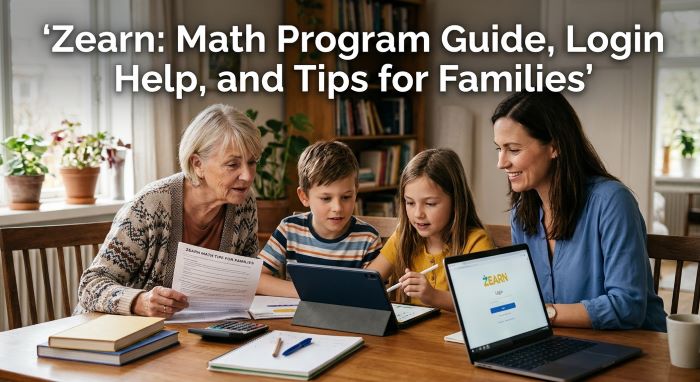
The Zearn login process depends on whether a student uses a school account or a home account.
At School
Most schools set up student accounts for their classes. Common ways to log in include:
- Clever. Many districts use Clever, a single sign-on portal. Students open Clever and click the math app icon.
- Google sign-in. Students go to the homepage and click “Sign in with Google,” using their school Google account.
- Username and password. Some students log in on the homepage with a username and password from their teacher.
If your child is not sure which method to use, ask the teacher. Schools often send home a login card at the start of the year.
At Home
Students with a school account can usually log in from home the same way they do at school. The site is available any time of day.
If your child does not have a school account, a parent can sign up for a free individual account and then create a student account for the child.
Common Login Problems
| Problem | What to Try |
|---|---|
| Forgot password | Ask the teacher to reset it, or reset it from your parent account |
| Clever not working | Log out of Clever, then log back in through the district portal |
| Google sign-in error | Make sure the child is using the school Google account, not a personal one |
| Wrong grade level | Ask the teacher to adjust the class or student settings |
| Lessons will not load | Try a supported browser such as Chrome, Safari, Edge, or Firefox, and clear the cache |
What It Costs
The nonprofit offers free accounts for teachers and families. A free teacher account includes all instructional materials for one teacher and up to 35 students. That makes it easy for a single classroom to try the program.
Schools and districts can buy School Accounts. These add tools for administrators, reports across classrooms, training, and support. Pricing depends on the school or district, so schools request a quote.
What the Research Says
Many education apps make big claims. This one has stronger evidence than most:
- Evidence for ESSA, a research review site from Johns Hopkins University, rated the program “Strong” in 2025, its highest level, based on three studies.
- A RAND Corporation randomized controlled trial found statistically significant gains on the NWEA MAP math test for students who used the program.
- In a fall 2023 survey of more than 1,000 teachers, 90 percent said they would recommend it to other teachers, according to the company.
The effects found in research are modest, which is typical for education studies. Results also depend on how often students use the program and how teachers support it in class.
Tips for Parents
You do not need to be a math expert to help. Here are simple ways to support your child:
- Set a routine. A short session at the same time each day builds a habit.
- Ask your child to teach you. Explaining a lesson helps kids learn it better.
- Keep paper nearby. Encourage your child to write out work, just as they do in class.
- Celebrate effort. Praise hard work and progress, not just right answers.
- Watch for frustration. If a lesson is too hard, let the teacher know.
- Check in with the teacher. Ask how many lessons per week the class expects.
Tips for Teachers
- Pair it with live instruction. The platform works best when it reinforces what you teach.
- Use the reports. Look at which students are stuck and on which skills.
- Plan small groups. Group students who struggle with the same concept.
- Set weekly goals. Many schools aim for a set number of lessons per week.
- Celebrate milestones. Recognize students who finish lessons or show growth.
- Share login steps with families. This helps students keep going at home.
Pros and Cons
Pros
- Free accounts for teachers and families
- Run by a nonprofit
- Strong research rating
- Clear, consistent lesson structure
- Visual, hands-on approach to math concepts
- Built-in help when students struggle
Cons
- Works best with teacher support, not as a stand-alone program
- Some students find the lesson structure repetitive
- Requires a device and internet access
- Free accounts are limited to one teacher and 35 students
How It Compares to Other Math Programs
| Program | Grades | Cost Model | Approach |
|---|---|---|---|
| Zearn Math | K to 8 | Free individual accounts; paid school accounts | Structured lessons with on-screen teachers |
| IXL | PreK to 12 | Paid subscription | Skill-by-skill practice |
| Khan Academy | K to 12 and beyond | Free | Videos and practice across many subjects |
| DreamBox | K to 8 | Paid, mostly through schools | Adaptive, game-like lessons |
Each program has strengths. Families looking for free, structured, grade-level math practice often find this platform a strong fit.
Common Questions
Is it free? Yes, for individual teachers and families. Schools can buy paid accounts with extra tools.
What grades does it cover? Kindergarten through eighth grade.
Who runs it? A 501(c)(3) nonprofit founded in 2012.
How does my child log in? Through Clever, Google sign-in, or a username and password on the homepage, depending on the school.
Can my child use it at home without a school account? Yes. A parent can create a free individual account and add a student account.
What is the Tower of Power? A set of independent problems in each lesson that checks whether the student has learned the skill.
Helping Kids Thrive in Math
Zearn gives students a clear, visual path through grade-level math, backed by strong research and offered free to teachers and families. For parents, the most useful steps are learning how your child logs in, setting a steady routine, and staying in touch with the teacher. For teachers, the platform works best as a partner to live instruction, not a replacement. Used well, Zearn can help kids build both math skills and confidence.
Key Takeaways
- Zearn is a nonprofit K to 8 math platform founded in 2012 by Shalinee Sharma and Evan Rudall.
- About 1 in 4 U.S. elementary students and more than a million middle schoolers use it, according to the company.
- Lessons use on-screen teachers, visual models, and a concrete to pictorial to abstract approach.
- The Tower of Power checks independent skill, and built-in help supports students who get stuck.
- Students log in through Clever, Google sign-in, or a username and password.
- Free accounts cover one teacher and up to 35 students; schools can buy School Accounts.
- Evidence for ESSA rated the program “Strong,” and a RAND study found significant gains on the NWEA MAP test.
- It works best alongside classroom teaching, with steady routines at school and home.

