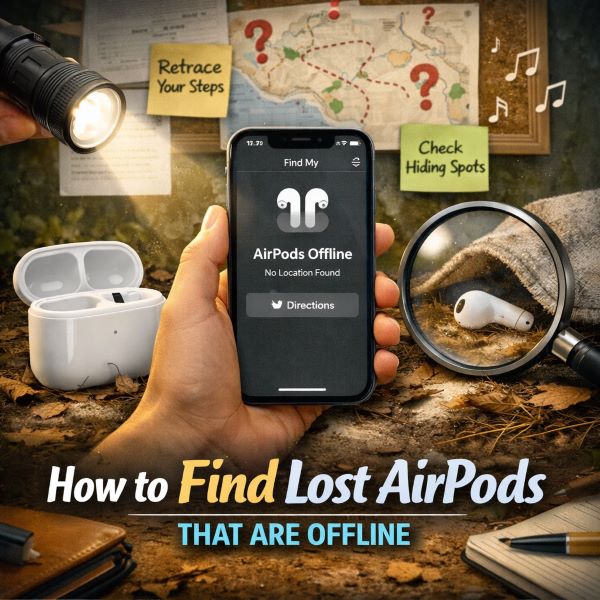
Losing AirPods is stressful enough. Understanding how to find lost AirPods that are offline is different from tracking an active device, and most guides skip the steps that actually matter when the battery is dead. Realizing they are showing as offline makes it worse, because the first instinct is to open Find My and see a grayed-out location that has not updated in hours. Knowing how to find lost AirPods that are offline requires a different approach than tracking a device that is actively connected, but there are real, practical steps that give you a genuine chance of recovering them. This guide walks through every method available, in order of what is most likely to work.
Why AirPods Show as Offline
AirPods show as offline in Find My when they are not connected to any Apple device and are not within Bluetooth range of anything in the Find My network. Unlike iPhone, AirPods do not have cellular connectivity. They rely entirely on Bluetooth proximity to other Apple devices to report their location passively through Apple’s Find My network.
If the AirPods are in a case with a dead battery, inside a bag or drawer, or in an area with no nearby Apple devices, they will appear offline with no updated location. The last known location is the most important piece of information you have.
Step 1: Check the Last Known Location in Find My
The last known location is the most useful starting point when you are trying to figure out how to find lost AirPods that are offline.
Open the Find My app on your iPhone or iPad. Tap the Items or Devices tab and select your AirPods. Even if they show as offline, the map will display the last location where they were detected. Tap the location dot to see the address and the timestamp of when that location was last recorded.
If the last known location is a place you were recently, go there first. The AirPods may still be exactly where they were when the battery died or when they lost connection. Check the timestamp. If it was only a few hours ago, the location is likely accurate. If it was days ago, it may reflect a location you passed through rather than where you left them.
Step 2: Enable Notify When Found
This is the most important passive step in how to find lost AirPods that are offline, and it takes less than ten seconds to set up.
In the Find My app, select your AirPods and look for the option that says “Notify When Found.” Turn this on. When your AirPods come back online (because they reconnect to Bluetooth, their battery charges, or they come near an Apple device), you will receive an automatic notification with their updated location.
This is a passive step but an important one. It runs in the background while you do everything else.
Step 3: Go to the Last Known Location and Search Physically
Once you know the last location, go there and search in person. AirPods are small and easy to miss on a casual pass. When you arrive at the last known location:
- Check between and under cushions on any seating
- Look along the edges of floors near walls and baseboards
- Check pockets of clothing you were wearing at the time
- Look in any bag, backpack, or purse you had with you
- Check car seats, especially in the gap between seat and center console
- Look under furniture, especially chairs and sofas
AirPods frequently slip into small gaps and spaces that are not immediately visible. A methodical search of the area is worth more than a quick visual scan.
Step 4: Use the Find My App to Play a Sound When They Come Back Online
If you are in the area where you believe the AirPods are and they come back online even briefly, you can play a sound through Find My to help locate them audibly. In the Find My app, select your AirPods and tap “Play Sound.” Each AirPod will emit a progressively louder chirping sound for two minutes.
The sound works on individual AirPods separately, so if you are missing only one, you can play the sound on just that one. Note that this only works when the AirPods are online and outside of the case.
Step 5: Check the Find My Network Through Nearby Apple Devices
Even when AirPods are offline to you, they can still be detected by other Apple devices nearby through the Find My network. Every iPhone, iPad, and Mac with Find My enabled acts as a passive relay for lost items and devices. If someone with an Apple device walks near your AirPods, their device may detect the AirPods’ Bluetooth signal and anonymously relay the location to Apple, which then updates the location in your Find My app.
This process is completely passive on your end. Keep Find My open periodically and check whether the location has updated from when you last looked. In areas with high foot traffic and many Apple device users, this update can happen within minutes. In rural or low-traffic areas it may take much longer or not happen at all.
Step 6: Retrace Your Steps Methodically
The most overlooked part of how to find lost AirPods that are offline is the physical search, which is often more effective than any app-based approach once the battery is dead. Think through where you were before you noticed them missing:
- What was the last time you definitely had them?
- Did you take them out to speak to someone?
- Did you set them on a surface like a counter, desk, or table?
- Did you place them in a pocket without the case?
- Could they have fallen in a vehicle?
Contact any businesses, restaurants, gyms, or transit stations you visited and ask whether they have been turned in to lost and found. AirPods in their case are identifiable but small enough that people often pick them up and hand them in without checking whether they belong to someone.
Step 7: Mark as Lost in Find My
In the Find My app, you can mark your AirPods as Lost. This does not do much for AirPods compared to iPhone because AirPods cannot display a message to whoever finds them, but it does register the device as lost in Apple’s system and ensures you get a notification the moment they are detected by any device in the Find My network.
Go to Find My, select your AirPods, scroll to “Mark as Lost,” and follow the prompts. This step costs nothing and provides automatic notification if the AirPods surface anywhere.
What to Do If They Do Not Turn Up
If several days pass without a location update and the physical search has not produced results, there are a few remaining options.
Check your home insurance or renter’s insurance policy. Some policies cover lost electronics including AirPods, though a deductible usually applies. AppleCare+ with Theft and Loss coverage covers AirPods if they were enrolled at the time of purchase.
Contact Apple Support to report the loss. If the AirPods were registered to your Apple ID, Apple has a record of the serial number, which is useful if they are ever turned in or show up at an Apple Store.
If the AirPods are gone for good and you are weighing a replacement, it is worth comparing your options before defaulting to another pair. A good starting point is this guide to best wireless earbuds under $200, which covers top-ranked alternatives across different budgets and use cases.
Key Takeaways
- Knowing how to find lost AirPods that are offline starts with the Find My app’s last known location. That timestamp and map pin are the most useful data you have.
- Enable “Notify When Found” immediately. This runs passively and sends an alert the moment the AirPods connect to any Apple device.
- Go to the last known location and search physically. AirPods slip into gaps, seat crevices, and bag pockets that are easy to overlook on a first pass.
- The Find My network passively updates the location when other Apple devices come near the AirPods. Check the app periodically for updated location data, especially in high-traffic areas.
- Play a sound through Find My the moment the AirPods come back online. The sound is audible enough to locate them within a small room or immediate area.
- Mark the AirPods as Lost in Find My. This ensures automatic notification if they are detected anywhere on the network.
- Contact lost and found at any locations you visited. AirPods are frequently picked up and handed in without the finder knowing who they belong to.
- If recovery fails, check home insurance or renter’s insurance for loss coverage, and contact Apple Support with the serial number to register the loss formally.