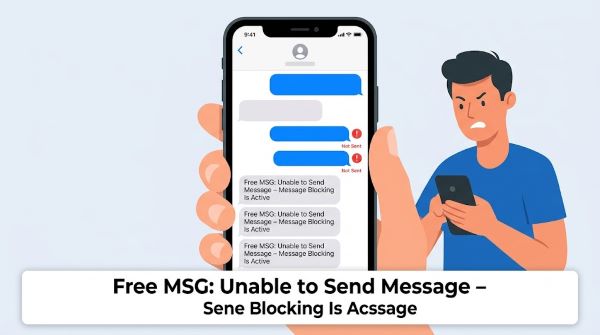
You try to send a text and instead of going through, you get the response: “Free MSG: Unable to send message – message blocking is active.” It’s frustrating, especially when you don’t know why it’s happening. The “free msg unable to send message message blocking is active” error can appear when you’re texting someone else or when someone else tries to reach you. In either case, there’s a specific reason it’s happening and it is fixable in most situations within a few minutes.
This guide explains what causes the “free msg unable to send message message blocking is active” error, who it applies to, and how to resolve it on any carrier.
What Does This Message Actually Mean?
“Free MSG” is a system notification sent by your carrier’s network, not by the person you’re trying to reach. “Message blocking is active” means that either your account or the recipient’s account has a block in place that is preventing the text from going through. The block operates at the network level, not at the device or app level.
The block can be on your end, on the recipient’s end, or both. It has nothing to do with the signal strength or the messaging app you’re using.
Common Causes
1. Premium SMS blocking is enabled
Most major carriers (AT&T, Verizon, T-Mobile) allow customers to block premium SMS messages, which are texts from short codes used for marketing, subscriptions, and paid services. If you’re trying to text a short code number (typically 5 or 6 digits) and have premium SMS blocked, you will receive the “free msg unable to send message message blocking is active” notification.
2. Parental controls or account-level restrictions
If the account is under parental controls or family plan restrictions, a parent or account holder may have blocked certain types of messages or specific numbers. This is common on accounts for minors.
3. The recipient has blocked your number
If the person you’re texting has blocked your number on their device, the carrier sometimes returns this message rather than delivering the text or showing a delivered status. This isn’t universal, as some carriers simply drop the message silently, but it does happen.
4. Account suspension or billing issue
If your account has a payment issue or has been partially suspended, messaging services can be restricted before full service is suspended. This is less common but worth checking.
5. Carrier-level spam or fraud flag
In some cases, your number or the recipient’s number may have been flagged by the carrier’s spam detection system. This can happen after a number has been used for bulk messaging or after a SIM swap.
How to Fix “Free MSG: Unable to Send Message – Message Blocking Is Active”
Step 1: Check your carrier account settings
Log in to your carrier’s app or website and look for messaging settings. On AT&T, check the “Message Controls” section. On Verizon, look for “Usage Controls.” On T-Mobile, check “Family Controls” or contact support through the app. Look for any active blocks on premium messaging, short codes, or text services and disable them if they’re not intentional.
Step 2: Contact your carrier directly
Call or chat with your carrier’s customer support and ask them to check whether any message blocking is active on your account. Representatives can see flags and restrictions that are not visible to you in the app. This is the fastest way to resolve the “free msg unable to send message message blocking is active” error when account-level settings are the cause.
Step 3: Verify there’s no billing issue
Check your account for any past-due balance or payment failure. Even a short lapse in payment can trigger service restrictions. Paying the balance and waiting a few minutes for the account to update usually restores full messaging.
Step 4: Confirm the number you’re texting is correct
Short codes and some business numbers have restrictions by default. If you’re trying to text a 5- or 6-digit number to sign up for a service or verify an account, check whether the service requires you to opt in from a specific type of account.
Step 5: Try a different messaging app
If the error appears in a third-party messaging app, try sending from your phone’s default messaging app. Some third-party apps have compatibility issues with carrier messaging filters.
Step 6: Reset your network settings
On iPhone: go to Settings, General, Transfer or Reset iPhone, Reset, then Reset Network Settings. On Android: go to Settings, General Management, Reset, then Reset Network Settings. This clears cached network configurations that can occasionally interfere with carrier messaging services.
Does This Error Happen on All Carriers?
Yes. The “free msg unable to send message message blocking is active” notification appears across all major US carriers including AT&T, Verizon, T-Mobile, and their MVNOs (prepaid brands like Cricket, Metro, Boost, and Straight Talk). The exact wording may vary slightly by carrier but the meaning is the same.
If you’re on a prepaid plan, message blocking is more likely to be active by default as a fraud prevention measure. Prepaid accounts sometimes require you to actively enable premium SMS or outbound short-code messaging through your carrier’s website before those services work.
International texting can also trigger the “free msg unable to send message message blocking is active” error if international messaging is not included in your plan or has been blocked. Check your plan details before assuming a technical error.
If someone else is getting “free msg unable to send message message blocking is active” when trying to reach you, the block is likely on your account. Ask them what carrier they’re on. If they’re on the same carrier as you, check for cross-account blocking in your shared plan. If they’re on a different carrier, contact your carrier and ask them to confirm no inbound blocks are active on your number.
Key Takeaways
- “Free msg unable to send message message blocking is active” is a carrier-generated notification, not a device or app error.
- The most common cause is premium SMS blocking, which is a carrier-level setting that prevents texts to or from short codes and paid services.
- Parental controls, account restrictions, and billing issues can also trigger this message on any major carrier.
- Log in to your carrier’s app first and look for messaging controls or usage restrictions. Disabling an unintended block often resolves the issue immediately.
- Call your carrier’s support line if you can’t find the setting yourself. Representatives can see account flags that aren’t visible in the app.
- A past-due payment can restrict messaging services without fully suspending the account. Clearing any balance restores service quickly.
- If someone else is getting this error when texting you, the block is on your side. Contact your carrier to confirm no inbound restrictions are active on your number.
- Resetting network settings on your phone is a useful last step if the error persists after all account-level settings have been confirmed as clear.